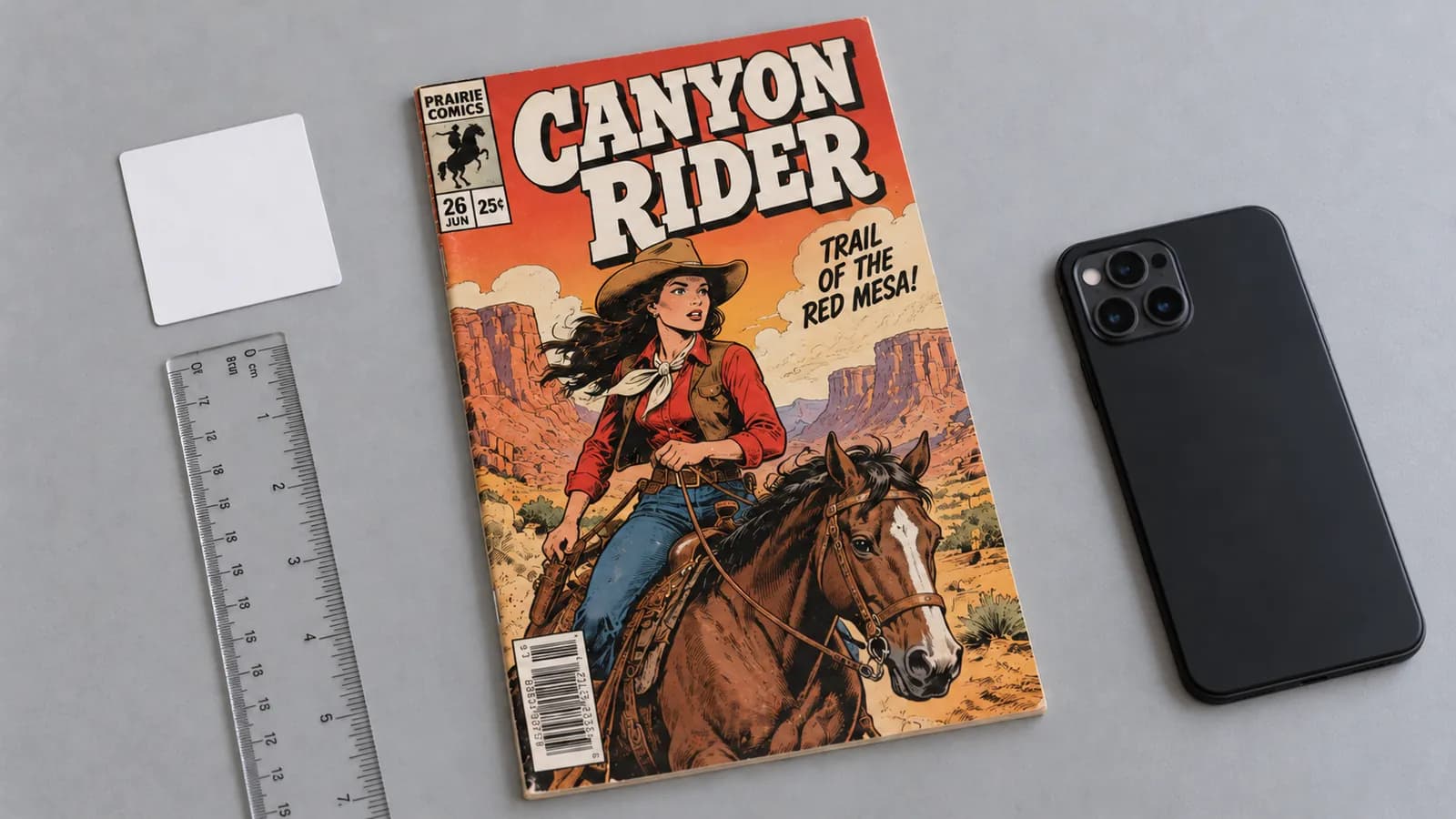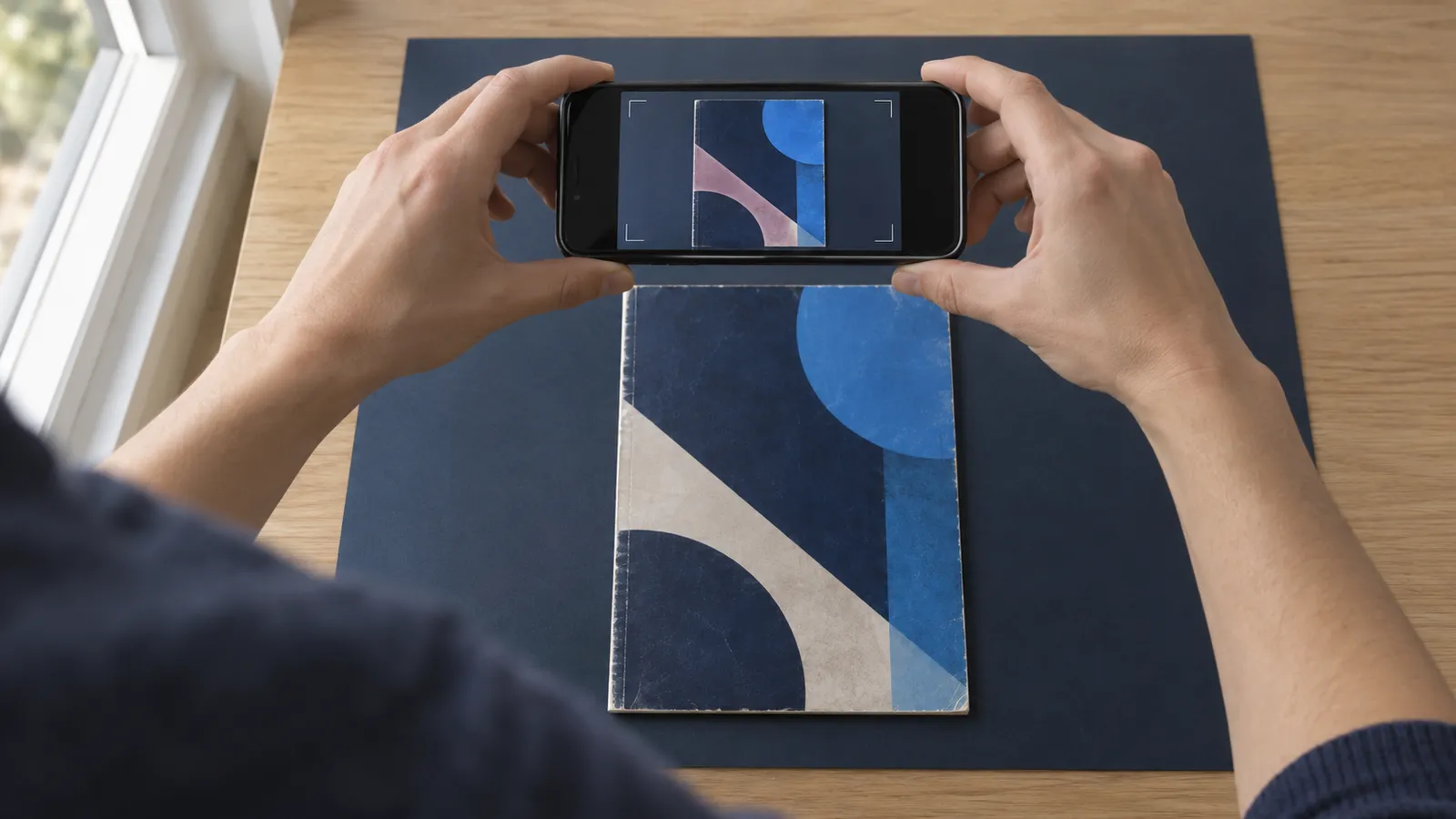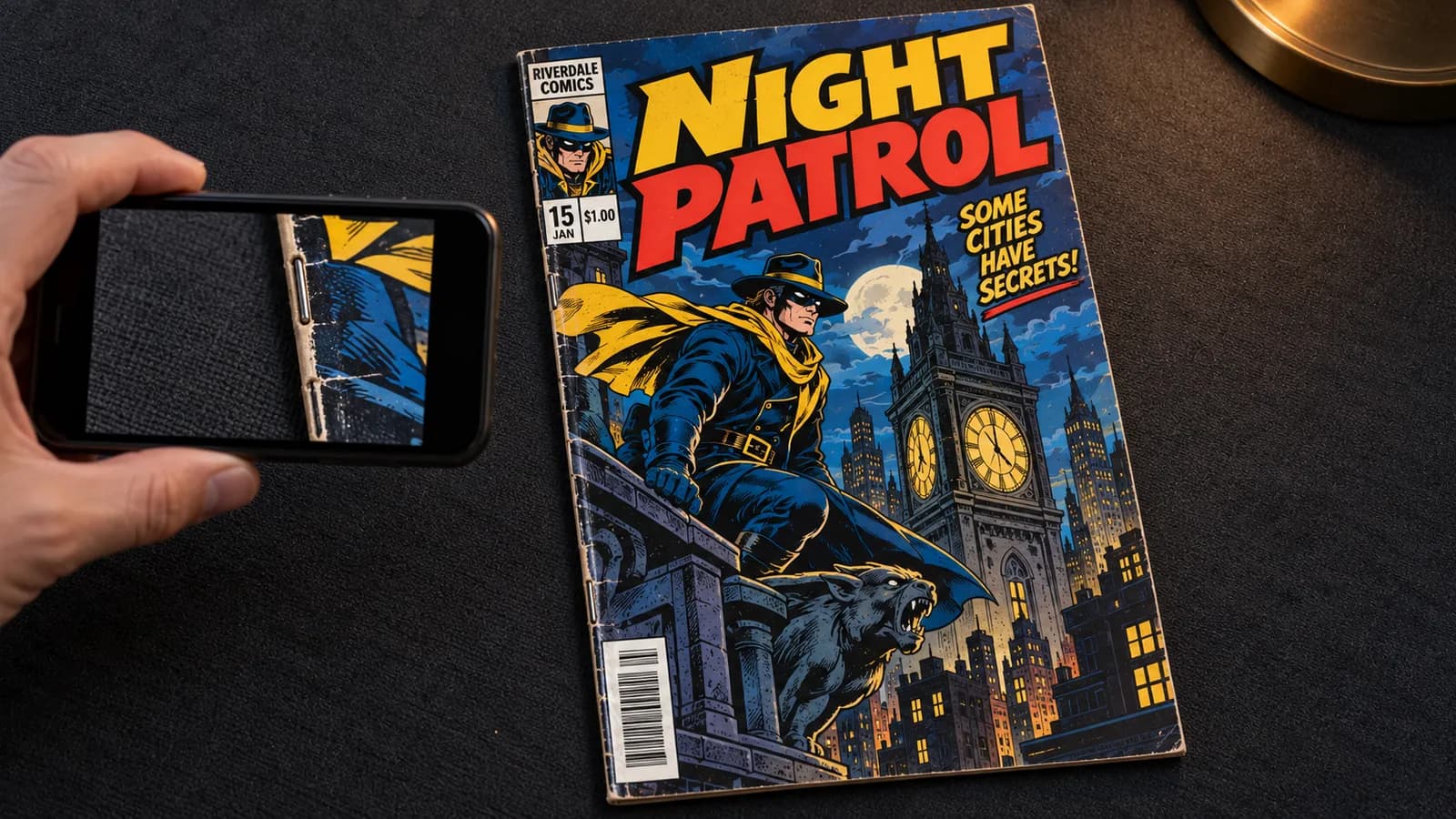
To photograph a comic book spine, take the book out of its bag, lay it front cover up on a dark matte cloth, and turn off the flash and the ceiling light. Set one lamp low so its light skims along the spine. Hold the phone level, lock focus and exposure, film one slow pass from top to bottom, then add close stills of any tick.
The spine deserves its own setup. Two of the three public sample reports from NuGrade, an AI-assisted grading app for raw comics, are limited by spine ticks. For every other shot, follow how to photograph comics so the flaws actually show.
Why spine ticks are hard to photograph
Spine ticks are hard to photograph because they are small, they sit on a curved fold that reflects light, and a color-breaking tick is white, the same color as glare.
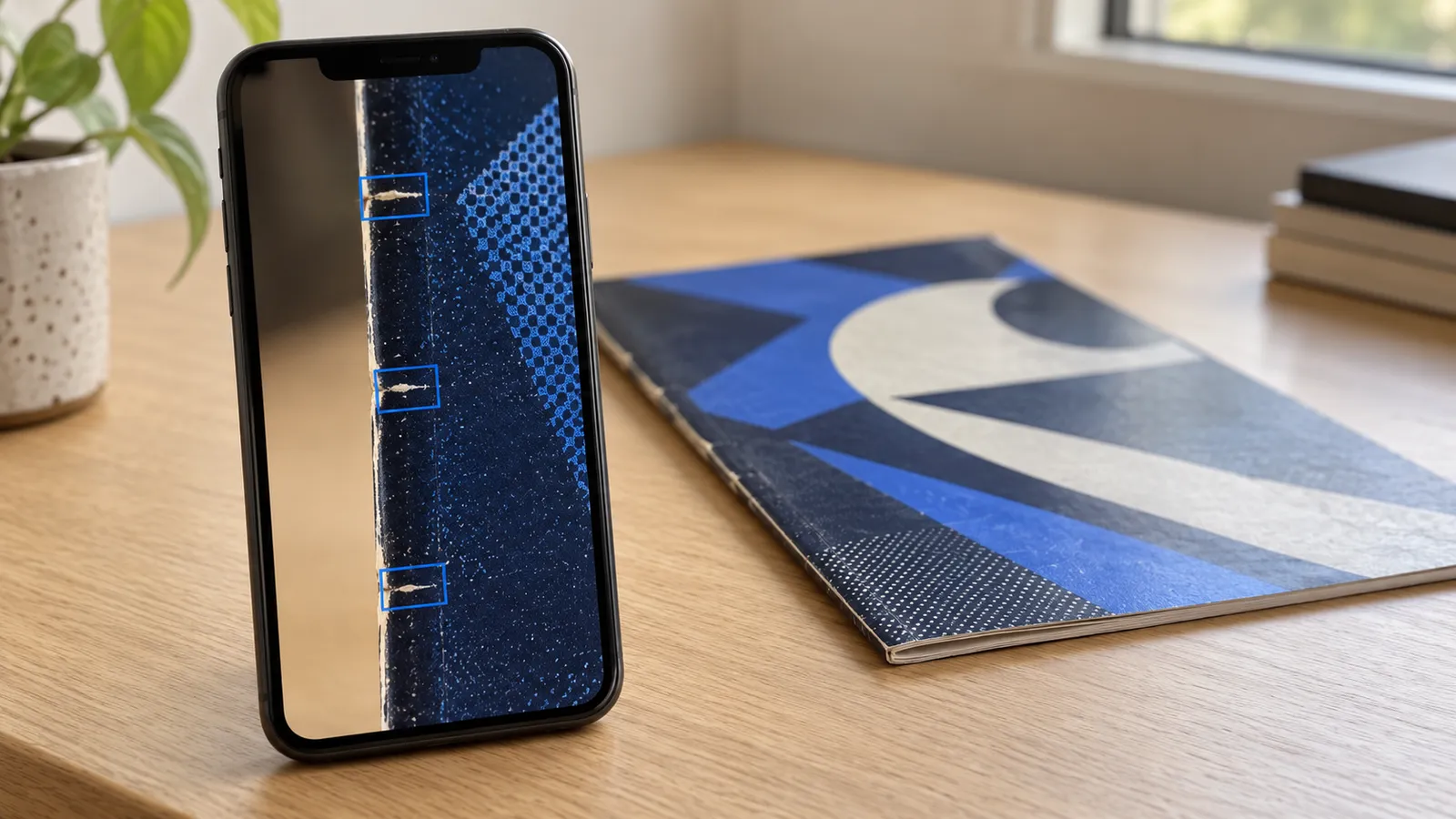
A spine tick is a short crease across the spine fold, at a right angle to the spine, left where the cover has flexed. A color-breaking tick is one where the ink has cracked, so the paper shows as a thin white line. A tick without color break changes only the shape of the paper, so it shows mainly in light from a low angle.
Glare is the reflection of a light in the cover's gloss, and the camera records it as plain white, so a white color break inside it disappears. On a black or red cover a color-breaking tick shows bright white. On a pale cover it barely shows, and the angle of the light does the work.
Your photos must settle two things: how many ticks there are, and whether each one breaks color. The published grade descriptions speak of stress lines and allow almost none at 9.4 NM and 9.2 NM-. They allow a few very slight ones and possibly a minor color break at 8.0 VF, and a small group of light ones and possibly a moderate color break at 7.0 FN/VF. What VF, FN and NM actually mean covers each tier, and unlike a bend, a color break cannot be pressed out.
Spine video or spine stills: what each one shows
Use both: the video finds ticks and shows they are real, and the stills record them in full detail.
| Slow spine video | Spine stills | |
|---|---|---|
| Viewing angle | Changes as the phone moves | One fixed angle per shot |
| Detail | Less per frame, but the whole spine in one record | The most detail your phone gives of one spot |
| Tick or reflection | A tick stays put on the book; a reflection slides or vanishes | Hard to tell from a single shot |
| Glare | A patch moves, so what it hid shows in other frames | A patch can hide a tick for good |
| Best for | Finding and counting ticks, and showing the whole spine | A sharp, scaled record of each tick, and listing photos |
| Weak spot | Blur if the pass is fast or the focus drifts | Misses ticks that show only at another angle |
A paused video frame is no substitute for a still, because phones record video at lower detail than photos.
A repeatable phone and lamp setup
Build the setup once, note where everything goes, and reuse it for every book.
The room and the light
- Take the book out of its bag. The bag adds glare, and its wrinkles can pass for ticks. Slide the book out with its backing board, keep the bag's sticky flap off the cover, and handle the book by its edges.
- Lay it on a dark matte cloth. A glossy table reflects the lamp, and a white surface bounces light back and fills the small shadows that show an unbroken tick.
- Turn off the lights above the book. Switch off the flash and the ceiling light, and keep window light off the cover. A phone looking straight down at a glossy cover sees the reflection of whatever is above it.
- Set one lamp low, past the top corner away from the spine. With the front cover up, that is the top-right corner. Start with the lamp head about a foot above the table and two feet from the book.
From there the light crosses each tick on its way down the spine, and the curved fold falls into a thin line of shadow instead of shining. Light from straight beside the book runs parallel to the ticks and shows unbroken ones least. In the preview, look for that shadow line and no bright streak on the fold.
The phone
- Hold the phone upright and level, with the spine along the long side of the screen and the back of the phone parallel to the cover.
- Get close, but not closer than it can focus. Frame the fold, a sliver of cloth beyond it and the strip of cover where ticks run. If the picture jumps as you move in, the phone has probably switched to a close-up lens; back off a little or turn off automatic macro switching.
- Lock focus and exposure. In your phone's camera app, tap and hold on the spine until a lock indicator appears; some phones show a lock icon after one tap instead. A locked camera stops refocusing and rebrightening as highlights pass, so the frames stay comparable. If the brightest spot on the cover turns pure white, drag the brightness control down a little.
- Use the standard video mode, not slow motion, time-lapse, or a cinematic or portrait-style mode that blurs part of the frame on purpose.
Copy this card and fill in the last line once your setup works.
SPINE SETUP CARD (starting points; record your own)
Book     out of the bag, front cover up, spine on the left
Surface  dark matte cloth
Lights   flash off; no ceiling light or window light on the cover
Lamp     past the top-right corner, head about 1 ft above the
         table, about 2 ft from the book
Check    thin shadow along the fold, no bright streak
Phone    upright, level, same height all the way
Lock     tap and hold on the spine
Pass     top edge to bottom edge in 10 to 15 seconds
Mine     lamp spot ______  lamp height ______  bulb ______
How to film the slow spine pass
Film one steady pass from the top edge to the bottom edge, at a constant height, in about 10 to 15 seconds.
- Start recording with the phone just above the top edge of the spine, and hold still for a second.
- Move straight down the spine at about an inch per second. A standard comic is a little over 10 inches tall, so the pass takes 10 to 15 seconds; slower is fine if you stay steady.
- Keep the height and the angle constant. Rest your little finger on the cloth beside the book and slide it, or run it along a ruler laid parallel to the spine. Nothing touches the book.
- Go past the bottom edge, hold for a second, and stop recording.
- Play the clip back at full size before you put the book away. Pause near the top, at each staple and near the bottom, zoom in, and film again if the fold looks soft or carries a white patch.
For the back half of the fold, turn the book over, keep the lamp past the top corner away from the spine, and film a second pass for your records or a listing. NuGrade's guided capture asks for one front-up pass with the flash off and checks the capture for common problems before you submit.
How to tell a real tick from a reflection
A real tick stays at the same spot on the book in frame after frame. A reflection slides across the cover as the phone moves, or flashes in one frame and is gone.
To check your pass, pause it and drag slowly along the timeline. Watch the line's distance from a landmark, such as a staple, the top edge or a printed letter. A tick can brighten or dim as its tilted faces catch the lamp, but it keeps its place, while a reflection drifts. A mark seen in only one frame is unconfirmed until a still shows it.
NuGrade's sample reports use the same terms: both spine-limited reports call their limiting ticks persistent across adjacent frames, and the third shows that not every line at the spine edge is wear.
| Sample report | What the report records at the spine | Grade and range |
|---|---|---|
| Marvel Presents: Guardians of the Galaxy #4 (Marvel, April 1976) | An accumulation of small stress ticks through the upper and middle spine, "several showing white color break against the black cover, persistent across adjacent frames from the spine pass" | 7.5 VF-, range 7.0 FN/VF to 8.0 VF |
| Green Lantern #59 (DC, March 1968) | Short color-breaking stress ticks along the spine edge, "concentrated at both staple positions and persistent across adjacent frames" | 5.5 FN-, range 5.0 VG/FN to 6.5 FN+ |
| E-Man #1 (Charlton, October 1973) | No spine findings. A production finding: "Slight miswrap: a narrow unprinted strip runs along the front spine edge" | 9.2 NM-, range 8.5 VF+ to 9.4 NM |
Both spine-limited books also show stress at the staples, so pause longest there. Anyone can open a report by its ID at the report lookup and play the spine video its findings cite. These reports show what a spine pass can record; they are not proof that any grade is right.
How to take spine stills of what the pass found
Right after the pass, take stills of each tick the video showed and of both spine ends.
- Keep the setup from the pass, and lock focus and exposure on each spot.
- Shoot the spine in three overlapping sections, top, middle and bottom, so each one has a staple or an edge as a landmark.
- For each tick, add a close still with a ruler on the cloth beside the book, not on it. Only a scale lets a viewer tell a 1/16 inch tick from a 1/4 inch one.
- Move the lamp and take that close still again. A tick stays in place; a reflection moves or vanishes.
- Photograph both ends of the spine up close, where splits and wear often start.
- Never open, roll or bend the book to make a tick show.
For where these shots go in a sale listing, see what photos a raw-comic listing should include.
Spine video problems and how to fix them
Each problem below shows in the playback and has a quick fix.
| What you see | Likely cause | Fix |
|---|---|---|
| A bright streak along the spine fold | The fold mirrors a lamp on the spine side or set too high | Move the lamp to the corner away from the spine, and lower it |
| A white patch that slides across the cover | A ceiling light, a window or the flash reflects in the gloss | Turn off the overhead light and the flash, or close the blinds |
| Brightness that rises and falls | Auto exposure reacts to passing highlights | Lock exposure before you start |
| A spine that goes soft, then sharp | The focus is hunting, or the phone height changed | Lock focus, and slide your finger along the cloth |
| A picture that jumps partway | The phone switched lenses at close range | Back off a little, or turn off automatic macro switching |
| Ticks smeared into streaks | The pass is too fast, or the light is too dim | Slow to about an inch per second, and use a brighter bulb |
| A bottom half darker than the top | The lamp is too close to the book | Move the lamp farther back |
What an AI grader can and cannot see in photos sorts out which flaws even a clean pass can miss.
Frequently asked questions
Should you take a comic out of its bag to photograph the spine?
Yes. A bag adds its own shine and wrinkles, and a wrinkle across the spine can look like a tick. Handle the book by its edges, and bag it again when you finish.
Where should the lamp go to photograph a comic spine?
Set one lamp low, past the top corner of the book on the side away from the spine, so its light runs down the spine and across the ticks. Turn off the flash and any ceiling light above the book.
How long should a comic spine video be?
Plan on about 10 to 15 seconds for one pass from the top edge to the bottom edge, roughly an inch per second on a standard comic. A slower pass is fine if the phone stays steady.
How do you tell a spine tick from a reflection?
Compare more than one view. A real tick stays at the same spot on the book from frame to frame, or in two stills taken with the lamp moved, while a reflection moves or disappears.
Can a spine video show every tick?
No. A hairline tick finer than the video can resolve can be missed, and an unbroken tick can hide when the light runs along it. That is why a photo grade states its limits, and why in-hand professional grading is still the right choice for a valuable book.